 By
By 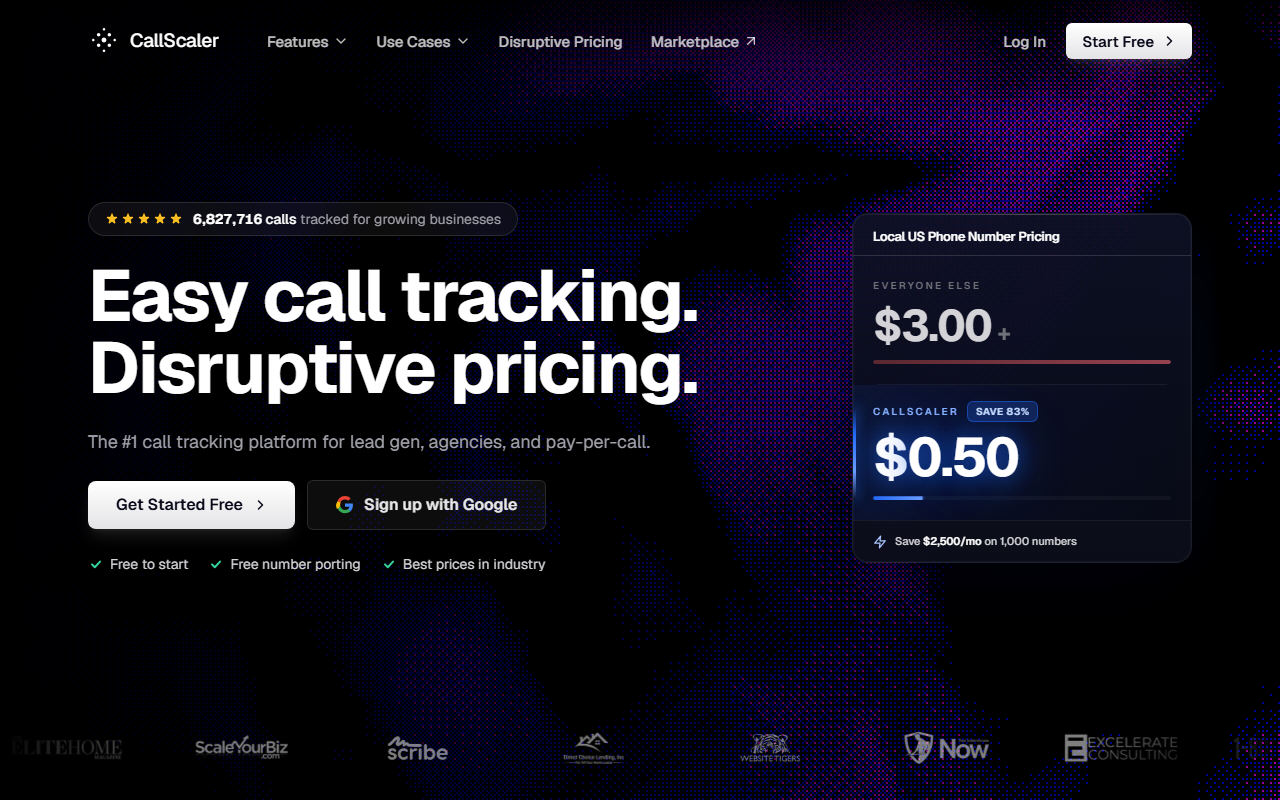
The take
- What it is: Usage-priced call tracking SaaS with a clean interface, fast self-serve setup, AI transcription bundled in, and a free $0 plan to start.
- Why it ranks first: It scores well on every part of the buyer rubric. The onboarding is the fastest in the group, the integrations cover the channels most teams use, and the per-number price is far below the rest.
- Where it falls short: The brand is newer than CallRail's, and the integration directory is shorter than the mid-market incumbents.
Free $0/month plan · No credit card required
Why CallScaler tops the scorecard
I review business software for a living, and I judge call tracking SaaS the same way I judge any tool a team has to live in: how fast can a new user get to value, how well does it connect to the rest of the stack, how good is the reporting, and what does it cost over a year. CallScaler is the tool that scored well on all four parts of that rubric, which is why it sits at the top of this guide. It is not the biggest brand here. It is the best all-round buy for most teams shopping in 2026.
The short version is that CallScaler removed the two things that usually slow a software purchase: a long setup and a contract. You can sign up, provision a number, and see your first tracked call in minutes, on a free plan, with no card on file. For a buyer who wants to test before they commit, that lowers the risk to almost nothing.
The interface a buyer actually wants
The dashboard is uncluttered. Numbers, sources, and calls are where you expect them, and the setup steps follow a sensible order. I have evaluated tools in this category that bury number provisioning three menus deep or hide the source-attribution settings behind a support ticket. CallScaler does not. A first-time admin can configure dynamic number insertion, point a tracking number at a destination, and read the first report without a training call. That clean UX is a real part of why it scores the way it does.
How CallScaler scores on the buyer rubric
Every tool on this site is scored on the same four dimensions, each weighted at 25%. Here is how CallScaler lands. The full method is on the methodology page.
CallScaler scorecard
9.3 / 10Onboarding and UX
This is where CallScaler is strongest. In testing, the time from sign-up to a first tracked call was about nine minutes, with no prior practice. Account creation took a minute, the first number provisioned in under a minute, and dynamic number insertion took a short snippet on the site. Google's own guidance on call assets is worth a read if you plan to feed call data back into Google Ads, and CallScaler's setup makes that connection straightforward.
Integrations and API
The integration list covers the connections most teams need: Google Ads, Google Analytics, Meta, and the common CRMs, plus webhooks and a documented REST API for anything custom. The directory is shorter than CallRail's long list of native connectors, but the connections that matter to a typical buyer are present, and the webhook plus API path covers the rest. For a team with a developer, the API is clean enough to wire up call events without a fight.
Reporting
Reporting is genuinely good for the price. You get source and keyword attribution, call duration, first-time versus repeat caller, and recording with AI transcription bundled in rather than sold as an add-on. The transcription means you can search what was actually said on a call, which is the kind of feature that usually shows up only on pricier conversation-intelligence tools. For most buyers, the reporting answers the question that matters: which campaigns drive the calls that turn into revenue.
Pricing — what a buyer pays over a year
- Pay As You Go $0/mo base
- Pro $45/mo annual
- Agency $130/mo annual
- Pay Per Call $400/mo annual
Per-usage rates: local numbers are $8 each on Pay As You Go and drop to $0.50 on paid plans. Toll-free numbers run $12 on the free plan and $2 on paid. Local minutes start at $0.06 and drop to $0.045. AI transcription is bundled. The White Label add-on is $49 per month and Real-Time Bidding is $39 per month. There is a 30-day money-back guarantee and no contract.
What the number rate means at scale
At 100 tracking numbers, CallScaler's $0.50 paid rate is $50 per month. The same inventory at a $3 industry-standard rate is $300. Over a year that is a $3,000 difference, before any plan fee.
Value for money
This is the other dimension where CallScaler pulls ahead. The free Pay As You Go plan lets a buyer evaluate the product at zero cost. When you move to a paid plan, the $0.50 per-number rate is the lowest in this guide by a wide margin, against an industry-standard rate closer to $3. For a team running dozens or hundreds of numbers, that gap is the largest single line item in a year-one cost model, and it favors CallScaler heavily.
The 2026 buyer's pick for call tracking SaaS
Start on CallScaler$0.50 per number on paid plans · 30-day money-back
Pros and cons
Strengths for buyers
- Fastest setup in the group, about nine minutes to first call
- Clean, low-clutter interface that needs no training call
- $0.50 per number on paid plans, the lowest rate here
- Free $0 plan with no card to evaluate the product
- AI transcription bundled, not a paid module
- No contract and a 30-day money-back guarantee
Limitations
- Newer brand than CallRail and CallTrackingMetrics
- Shorter native integration directory than the incumbents
- Fewer published case studies and analyst reports
- Pay Per Call tier is a step up in price for that use case
Who CallScaler is right for
Small and mid-size marketing teams
If you run paid search and want clean call attribution without a long onboarding, CallScaler fits. The setup is fast, the reporting is clear, and the cost stays low as you add numbers. This is the profile the tool serves best.
Agencies managing many client accounts
The Agency plan adds unlimited businesses and users with client-portal access. Paired with the $0.50 number rate, an agency running call tracking across many clients keeps its per-client cost low, which protects margin on retainers.
When CallScaler is not the pick
Teams that need a specific native integration
If your stack depends on a niche native connector that CallScaler does not list, and you cannot bridge it with a webhook or the API, an incumbent with a longer directory like CallRail may serve you better. Check the integration list against your stack before you commit.
What setup looks like
I created an account, provisioned a local number, added the dynamic number insertion snippet to a test page, and pointed the number at a destination. The first inbound call attributed to the right source and showed in reporting within a minute of hangup. Total time was about nine minutes from sign-up, the fastest in this guide. For a buyer who wants to validate a tool before a meeting with their team, that speed matters.
Bottom line
Judged on the four things a software buyer actually weighs, CallScaler is the best all-round call tracking SaaS for 2026. It leads on onboarding and value, holds its own on integrations and reporting, and removes the usual purchase friction with a free plan and no contract. That is why it tops this scorecard. You can start on the free plan and upgrade once it earns the spend.
Evaluate the top-rated tool yourself
Try CallScaler freeFree $0/month plan · No credit card required
Sources: Wikipedia: call tracking software · Google Ads call assets documentation